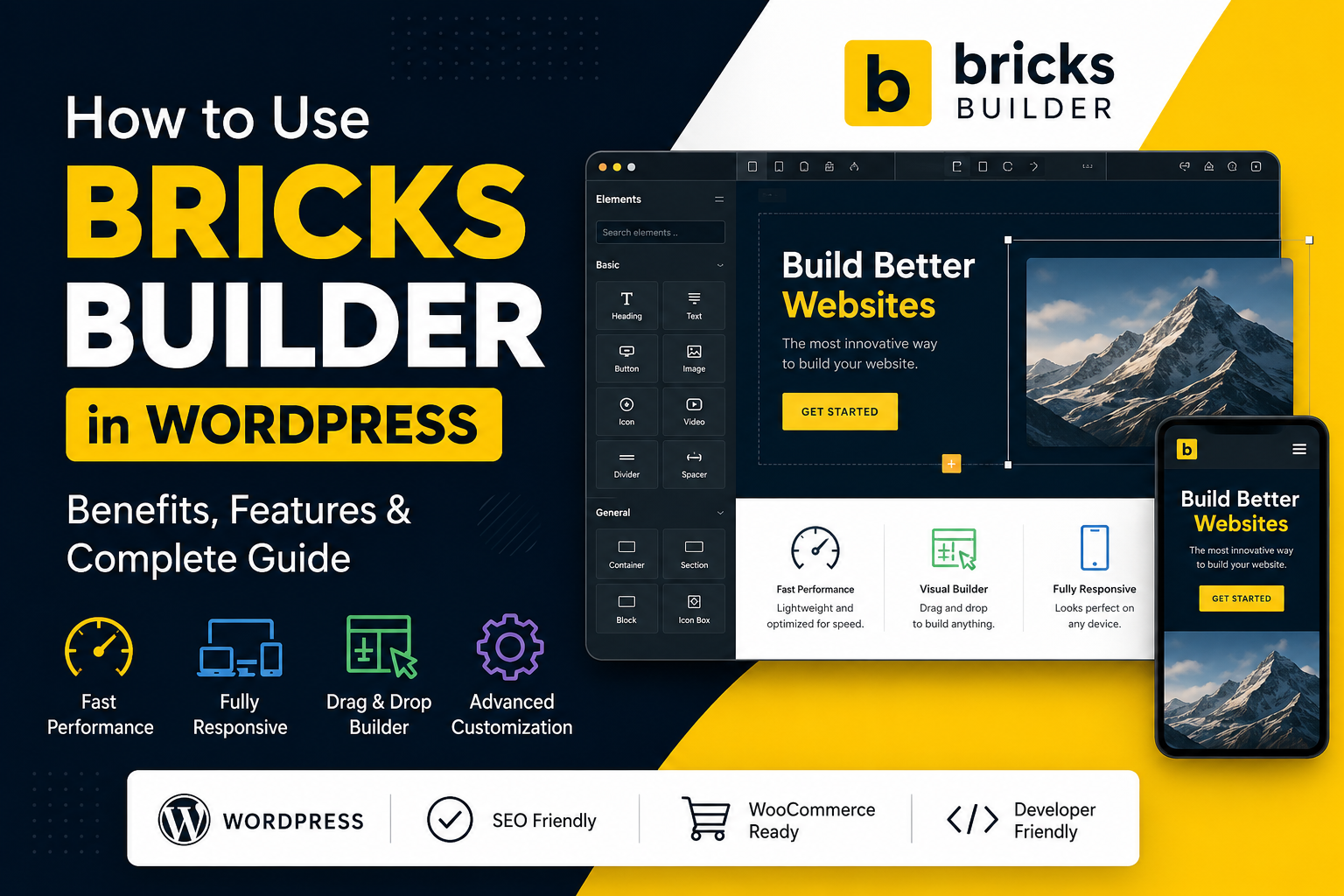
Building a modern WordPress website requires more than choosing a beautiful design. Today, website owners need fast loading speeds, responsive layouts, SEO-friendly structures, flexible customization, and a great user experience.
This is where Bricks Builder has become an increasingly popular choice among WordPress developers, web designers, agencies, and freelancers.
Bricks Builder is a powerful visual website builder designed for WordPress. Unlike many traditional page builders, Bricks focuses heavily on performance, flexibility, clean website structure, and advanced customization.
With Bricks Builder, you can design almost every part of your WordPress website, including headers, footers, pages, blog templates, archive pages, WooCommerce product pages, and more.
In this complete guide, you will learn what Bricks Builder is, how to use it in WordPress, its main features, benefits, SEO advantages, and why you should consider using it for your next website project.
What Is Bricks Builder?
Bricks Builder is a visual website-building solution for WordPress that allows users to design and customize websites using a flexible visual interface.
It enables you to create professional website layouts without relying entirely on pre-built WordPress themes. You can build custom templates and control many areas of your website from a single builder.
Bricks Builder can be used to create many types of websites, including:
- Business websites
- Agency websites
- Portfolio websites
- Personal websites
- Blog websites
- News websites
- Landing pages
- Service websites
- eCommerce stores
- WooCommerce websites
- Membership websites
- Course websites
One of the biggest advantages of Bricks Builder is the level of control it provides over website design and structure.
Why Should You Use Bricks Builder?
Choosing the right WordPress website builder is important because it can affect your website's performance, flexibility, maintenance, and user experience.
Bricks Builder is popular because it combines visual website design with advanced development capabilities.
Here are some important reasons to consider using Bricks Builder.
1. Performance-Focused Website Building
Website speed is extremely important for modern websites.
A slow website can negatively affect user experience. Visitors may leave a website if pages take too long to load. Website performance can also influence SEO and search visibility.
Bricks Builder is designed with performance in mind and can provide a strong foundation for building lightweight and optimized websites.
When combined with proper hosting, image optimization, caching, and good development practices, Bricks Builder can help create fast WordPress websites.
Benefits of better website performance include:
- Faster page loading
- Better user experience
- Improved mobile performance
- Reduced visitor bounce rates
- Better SEO foundations
However, it is important to remember that a website builder alone does not guarantee a fast website. Hosting quality, plugins, images, scripts, and website optimization also play important roles.
How to Install Bricks Builder in WordPress
Before using Bricks Builder, you need a working WordPress website.
You will also need a domain name and web hosting service.
Once WordPress is installed, follow these general steps to start using Bricks Builder.
Step 1: Access Your WordPress Dashboard
Log in to your WordPress admin dashboard.
Usually, you can access it through:
yourdomain.com/wp-admin
Enter your administrator username and password to access the WordPress dashboard.
Step 2: Install the Bricks Theme
After obtaining Bricks from its official source, download the theme file.
Then go to your WordPress dashboard and navigate to:
Appearance → Themes → Add New → Upload Theme
Upload the Bricks theme ZIP file.
Once the upload is complete, install and activate the theme.
Step 3: Activate Your License
Depending on your license and installation setup, you may need to activate your Bricks license.
After activation, you can begin using the Bricks Builder features.
Step 4: Create a New Page
Go to:
Pages → Add New
Create a new page and choose the option to edit it with Bricks.
The visual builder will open, allowing you to start creating your website layout.
How to Create a Website Page With Bricks Builder
Bricks Builder allows you to create websites using sections, containers, and different content elements.
For example, if you are creating a business website homepage, you can organize your page into several sections.
Hero Section
The hero section is usually the first section visitors see when they open your website.
It can include:
- Main headline
- Short description
- Call-to-action button
- Image or background visual
For example:
Modern Web Solutions for Your Business
You can add a short description explaining your services and include a call-to-action button such as:
Get Started
or
Contact Us Today
Services Section
The next section can display your main services.
For example:
- Web Design
- WordPress Development
- Shopify Development
- eCommerce Development
- Search Engine Optimization
- Digital Marketing
Using Bricks Builder containers and elements, you can create attractive service cards with icons, titles, descriptions, and buttons.
About Section
The About section helps visitors understand your business or organization.
You can include information about:
- Your company
- Your experience
- Your mission
- Your team
- Your achievements
This section can help build trust with potential customers.
Portfolio Section
A portfolio section allows you to showcase your previous work.
You can display:
- Website screenshots
- Project names
- Client industries
- Project descriptions
- Links to completed projects
A strong portfolio can help businesses, agencies, and freelancers attract new clients.
Testimonials Section
Customer testimonials can help build trust.
You can display reviews from previous customers to show potential clients that your business has experience and satisfied customers.
Contact Section
The final section of your website can include contact information.
You may add:
- Contact form
- Email address
- Phone number
- WhatsApp contact
- Social media links
- Business address
This makes it easy for visitors to contact your business.
Key Features of Bricks Builder
Bricks Builder offers many useful features for creating professional WordPress websites.
Visual Website Building
Bricks provides a visual editing experience that allows you to build layouts using different elements.
Common elements include:
- Headings
- Text
- Images
- Buttons
- Icons
- Videos
- Forms
- Accordions
- Tabs
- Sliders
These elements can be combined to create modern and professional website layouts.
Responsive Website Design
A modern website must work properly on different devices.
Today, many users browse websites using smartphones and tablets.
Bricks Builder provides responsive design controls that allow you to adjust your website layout for different screen sizes.
You can review and optimize your design for:
- Desktop devices
- Tablets
- Mobile phones
This helps create a better experience for visitors regardless of the device they are using.
Global Styles and Design Consistency
Maintaining consistent branding is important for professional websites.
Bricks Builder allows you to create reusable design settings and global styles.
You can manage important design elements such as:
- Colors
- Typography
- Headings
- Buttons
- Spacing
For example, you can define your brand's primary color and use it throughout your website.
This makes website design more consistent and easier to maintain.
Bricks Builder for SEO
Search Engine Optimization is important for businesses that want to attract organic traffic from search engines.
Bricks Builder can provide a strong foundation for building SEO-friendly websites when combined with proper SEO practices.
However, successful SEO requires more than using a website builder.
You should focus on several important factors.
Use Proper Heading Structure
Organize your content using proper headings.
For example:
- H1 for the main page title
- H2 for major sections
- H3 for smaller subsections
A clear content structure can improve readability and help search engines understand your content.
Create High-Quality Content
Your website content should provide useful information for visitors.
Use relevant keywords naturally throughout your content.
Avoid keyword stuffing.
For example, if your target keyword is:
WordPress Bricks Builder
You can naturally include related phrases such as:
- How to use Bricks Builder
- Bricks Builder tutorial
- WordPress website builder
- Bricks Builder website design
- Bricks Builder theme
Always focus on providing helpful information to your readers.
Optimize Website Images
Images can improve website design, but large and unoptimized images can slow down your website.
Before uploading images, consider:
- Compressing images
- Using appropriate image sizes
- Using modern image formats
- Adding meaningful alt text
Image optimization can improve both user experience and website performance.
Using Bricks Builder for WooCommerce
Bricks Builder can also be used for creating and customizing WooCommerce websites.
WooCommerce allows WordPress users to build online stores.
With Bricks Builder, you can create more customized layouts for different areas of your eCommerce website.
Depending on your setup and requirements, you can customize areas such as:
- Shop pages
- Product archives
- Product cards
- Single product pages
- Related products
- Store templates
This gives designers and developers greater flexibility when creating unique online shopping experiences.
Bricks Builder can be useful for businesses creating:
- Fashion stores
- Electronics stores
- Digital product stores
- Service-based stores
- Dropshipping stores
- Custom eCommerce websites
Bricks Builder vs Other WordPress Page Builders
The WordPress ecosystem offers many website-building solutions.
Some popular options include:
- Elementor
- Gutenberg
- WPBakery
- Beaver Builder
Each option has different strengths and is suitable for different types of users.
Elementor is widely used and beginner-friendly.
Gutenberg is the default WordPress block editor.
WPBakery is commonly found in many older WordPress themes and websites.
Bricks Builder is particularly attractive to users who want more control over website design while also focusing on performance and advanced customization.
The best builder for your project depends on your specific requirements.
Bricks Builder may be a good option if you need:
- Custom website design
- Flexible layouts
- Advanced customization
- Dynamic content
- WooCommerce customization
- Responsive design controls
- Performance-focused development
Why Developers Like Bricks Builder
Bricks Builder is not only designed for beginners.
It can also be useful for professional WordPress developers.
Developers can combine visual design tools with custom development techniques.
Depending on the project requirements, developers can work with:
- Custom CSS
- JavaScript
- Dynamic data
- Custom templates
- Advanced layouts
- Reusable components
This makes Bricks Builder useful for both designers and developers.
A designer can create visual layouts while a developer can add advanced functionality when required.
Best Practices When Using Bricks Builder
To build a professional WordPress website, follow these best practices.
Use Only Necessary Plugins
Avoid installing too many unnecessary plugins.
Excessive plugins can make a website more difficult to maintain and may affect performance or compatibility.
Choose reliable and trusted plugins that are necessary for your website.
Optimize Your Images
Always optimize images before uploading them to your website.
Large images can increase page loading times.
Use properly sized and compressed images whenever possible.
Choose Reliable Web Hosting
Web hosting plays an important role in website performance.
A reliable hosting provider can help improve:
- Website speed
- Security
- Uptime
- Server performance
Choose hosting based on your website's traffic, business requirements, and technical needs.
Keep Regular Backups
Regular backups are important for every WordPress website.
Create backups before:
- Major updates
- Theme updates
- Plugin updates
- Large design changes
A backup can help you restore your website if something goes wrong.
Test Before Making Major Changes
For larger projects, consider testing important updates and design changes in a staging or development environment before applying them to a live website.
This can reduce the risk of unexpected problems.
Who Should Use Bricks Builder?
Bricks Builder can be useful for many different types of users.
Web Designers
Designers who want to create custom WordPress websites with visual tools may find Bricks Builder useful.
WordPress Developers
Developers who need flexibility and advanced customization can use Bricks Builder for client projects and custom websites.
Digital Agencies
Agencies can use Bricks Builder to create professional websites for clients across different industries.
Freelancers
Freelance web designers and developers can use Bricks Builder to create business websites, portfolios, landing pages, and eCommerce stores.
Business Owners
Business owners who want greater control over their website design may also consider Bricks Builder.
However, beginners may need some time to understand the interface and website-building process.
Is Bricks Builder Good for Beginners?
Bricks Builder can be learned by beginners, although there may be a learning curve for users who are completely new to WordPress website development.
Before learning Bricks Builder, it is helpful to understand basic concepts such as:
- WordPress pages and posts
- WordPress themes
- Plugins
- Website layouts
- Typography
- Colors
- Responsive design
Basic knowledge of HTML and CSS can also be helpful, especially for advanced customization.
The best way to learn is through practice.
You can create a demo website and experiment with different sections, layouts, templates, and responsive settings.
Build a Professional Website With Bricks Builder
A professional website should be more than visually attractive.
A successful website should aim to provide:
- Fast performance
- Responsive design
- Good user experience
- Clear navigation
- High-quality content
- SEO-friendly structure
- Easy maintenance
Bricks Builder can provide a powerful foundation for creating modern WordPress websites.
However, a successful website also requires good planning and proper optimization.
Focus on:
- Website performance
- Content quality
- SEO
- Security
- Mobile optimization
- Regular maintenance
WordPress and Bricks Builder Development With DevlyLab
At DevlyLab, we provide modern web solutions designed to support businesses and individuals in building a professional online presence.
Our web development services can include:
- WordPress Website Development
- Custom Website Design
- Bricks Builder Development
- WooCommerce Development
- Shopify Development
- eCommerce Solutions
- Website Speed Optimization
- SEO-Friendly Website Structure
- Website Maintenance
Every website project should be planned according to the specific needs and goals of the business.
A professional website can help businesses improve their online presence, communicate with customers, showcase services, and support long-term digital growth.
Final Thoughts
Bricks Builder is a powerful and modern solution for WordPress website development.
It provides flexibility for creating custom layouts, responsive designs, dynamic website structures, and customized WooCommerce experiences.
It can be particularly useful for web designers, developers, agencies, freelancers, and businesses that want greater control over their WordPress websites.
However, choosing the right website builder should always depend on your project requirements.
For a simple website, the default WordPress editor may be enough. For more advanced and highly customized websites, Bricks Builder can provide additional flexibility and control.
When combined with reliable hosting, optimized images, high-quality content, responsive design, and proper SEO practices, Bricks Builder can help you create a modern and professional WordPress website.
If you are planning to build a business website, portfolio, agency website, blog, or eCommerce store, Bricks Builder can be an excellent option for your WordPress development project.
Start building your professional online presence today and explore the flexibility and power that modern WordPress development with Bricks Builder can offer.